Network Accessories

Network Accessories
Network Accessories refer to the supporting components and tools used in networking systems to connect, organize, manage, or enhance the performance of a network. While they are not core devices like switches or routers, they play a crucial role in ensuring the network runs smoothly and efficiently. Common Network Accessories:
Connectors & Adapters
-
Cables
- RJ45 connectors – Used with Ethernet cables
- Fiber optic connectors – LC, SC, ST, etc.
- Couplers & adapters – For joining two cables or converting types (e.g., fiber-to-copper)
-
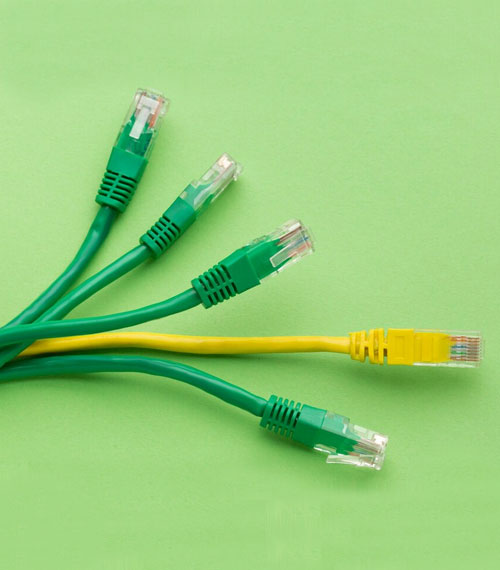
Patch Cords / Patch Cables
- Pre-terminated cables used to connect devices within a network rack or between network ports.
- Available in Ethernet (Cat5e, Cat6, Cat6a) or fiber optic types.
-
Patch Panels
- A panel with multiple ports to manage and organize network cables.
-
Wall Jacks & Faceplates
- Panels with multiple ports used to organize and route network cables in server rooms or data centers.
-
Cable Management Tools
- Cable ties / Velcro straps – For bundling cables.
- Cable organizers / trays / raceways – Keep cables tidy and avoid tangling.
- Labeling tags – For identifying cable connections
-
Racks and Cabinets
- Used to mount and organize networking equipment like switches, routers, and servers
- Types: Open racks, wall-mounted cabinets, floor-standing enclosures.
-
Faceplates & Keystone Jacks
- Faceplates – Installed on walls with ports for network connections.
- Keystone jacks – Snap-in connectors that fit into faceplates or patch panels.
-
Transceivers & SFP Modules
- Small Form-factor Pluggable (SFP) modules used for connecting switches/routers to fiber or copper cables.
- Allow flexibility in network uplink types and speeds.
-
Antennas & Mounts (for wireless networks)
- Used with wireless access points or routers for better signal coverage.
- Includes indoor/outdoor antennas and mounting brackets.
-
Surge Protectors & Power Strips
- Protect networking devices from power surges.
- Important in areas with unstable power supply.
-
Testers & Crimping Tools
- Cable testers – Check for connectivity or faults in cables.
- Crimping tools – Used to attach connectors to cables.